KYVERIQX
orgledgerreco.kyveriqx.com · You vs your partner, tied out
1. Your ledger2. Partner ledger3. Reconcile4. Download
Settle partner accounts in minutes

Your books and your partner's.
Matched, invoice by invoice.

Reconcile your books against a business partner's (multi-location, TDS-aware) ledger. Upload both files; we match invoice-by-invoice and surface the gaps in minutes.

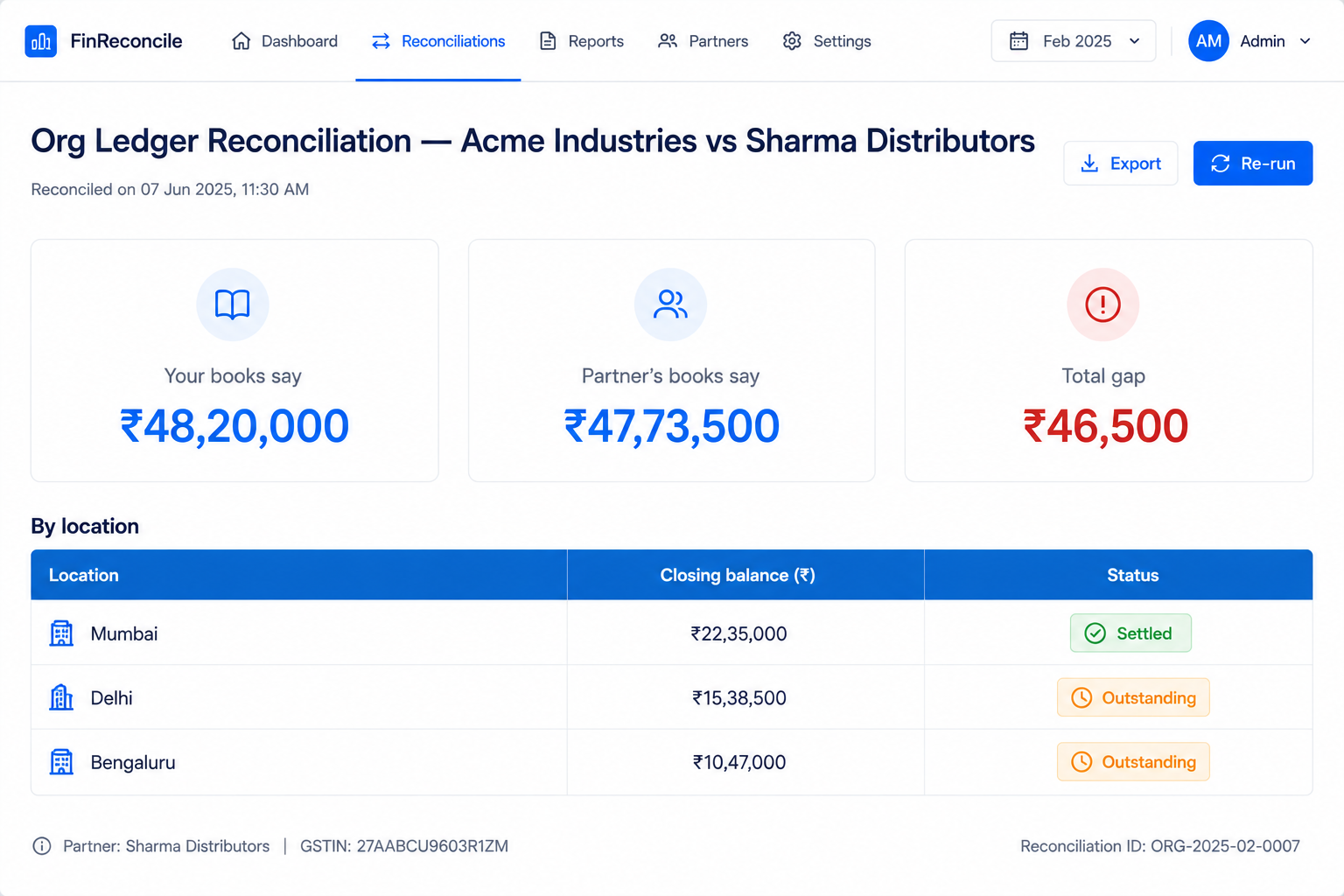
Sample output
How it works

From two ledgers to a clean reconciliation — in four steps.

01

Upload your ledger

The partner's account from your ERP — Business Central, Tally, SAP, Zoho. Excel or CSV.

02

Upload their ledger

Your business partner's statement of account. Multi-location workbooks — one sheet per location — are handled automatically.

03

Reconcile invoice-by-invoice

Doc numbers are normalized (case & format-insensitive) and matched line by line, TDS-aware.

04

Review & download

See balances, gaps and a priority action plan live — then download a 4-sheet Excel report to send back.

Invoice-by-invoice

Normalized doc-number matching ties out every invoice, not just the closing balances.

Multi-location & TDS-aware

Handles partner workbooks with one location per sheet and flags TDS-deduction differences.

Actionable

Per-location status, a priority action plan that says who owns each fix, and an Excel report to share.

What's in your output

A live reconciliation dashboard plus a 4-sheet Excel report to share.

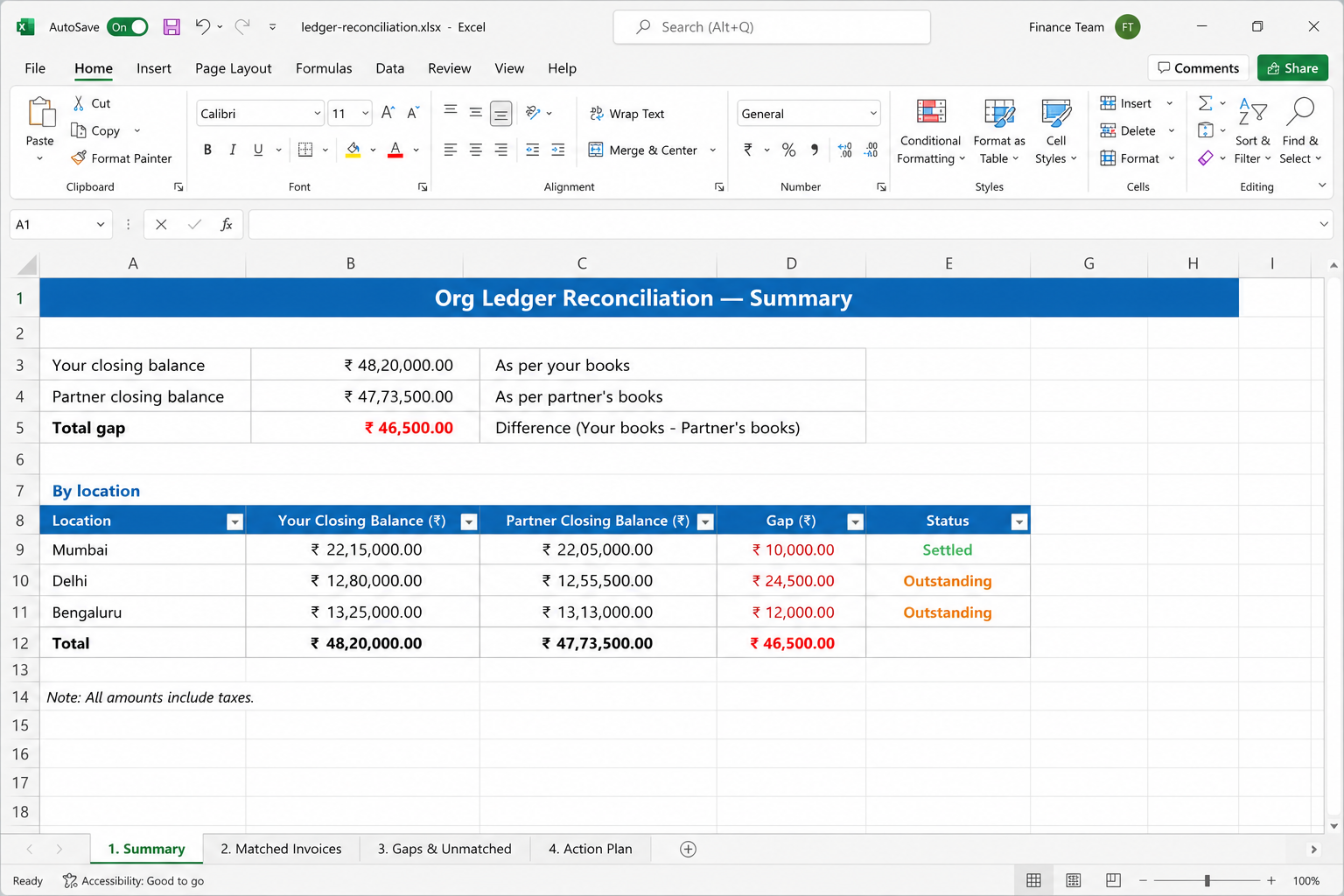
  • 01Your books vs partner's books — closing balances
  • 02Total gap (zero = fully reconciled)
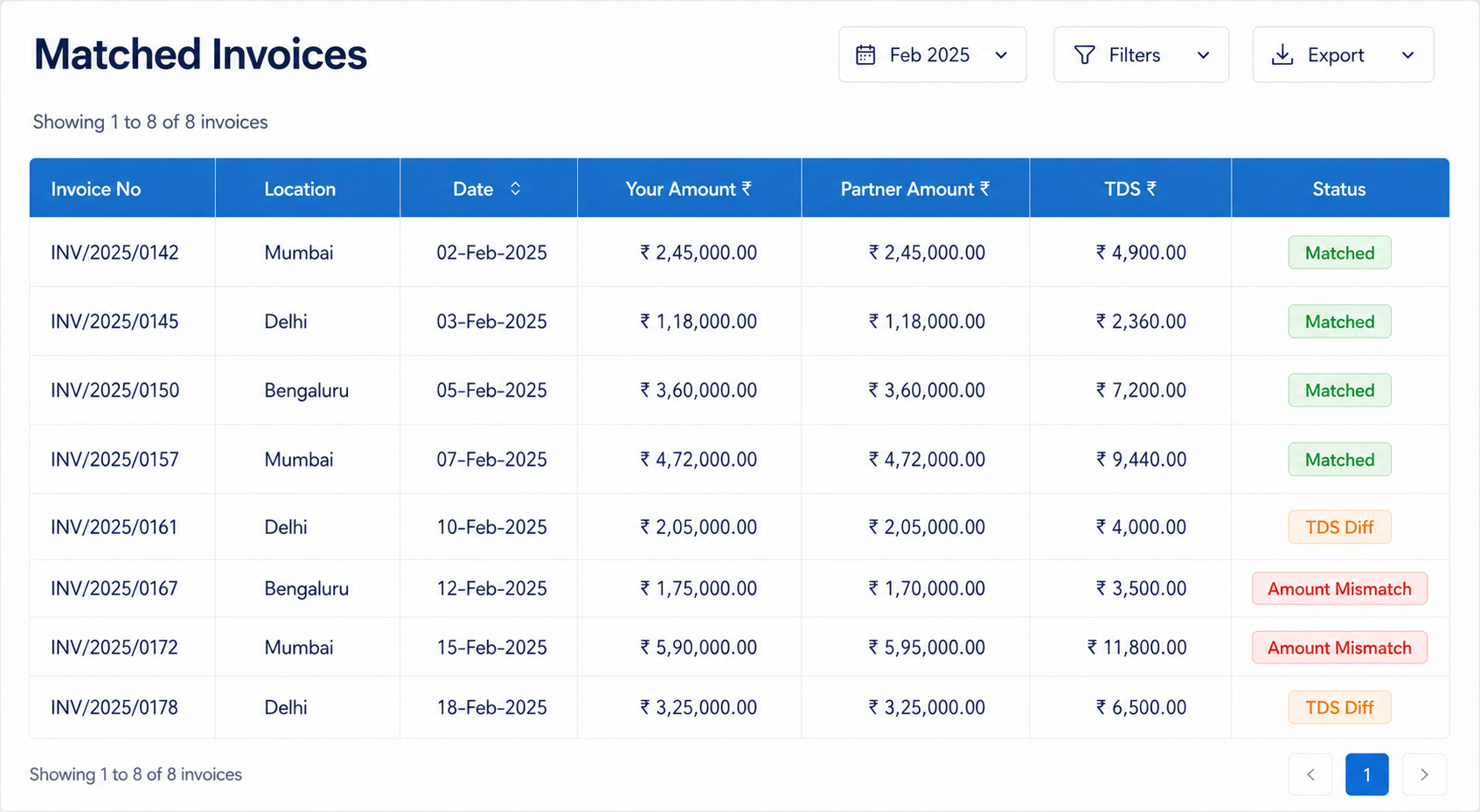
  • 03Matched invoices
  • 04TDS-difference invoices flagged
  • 05Amount-mismatch invoices
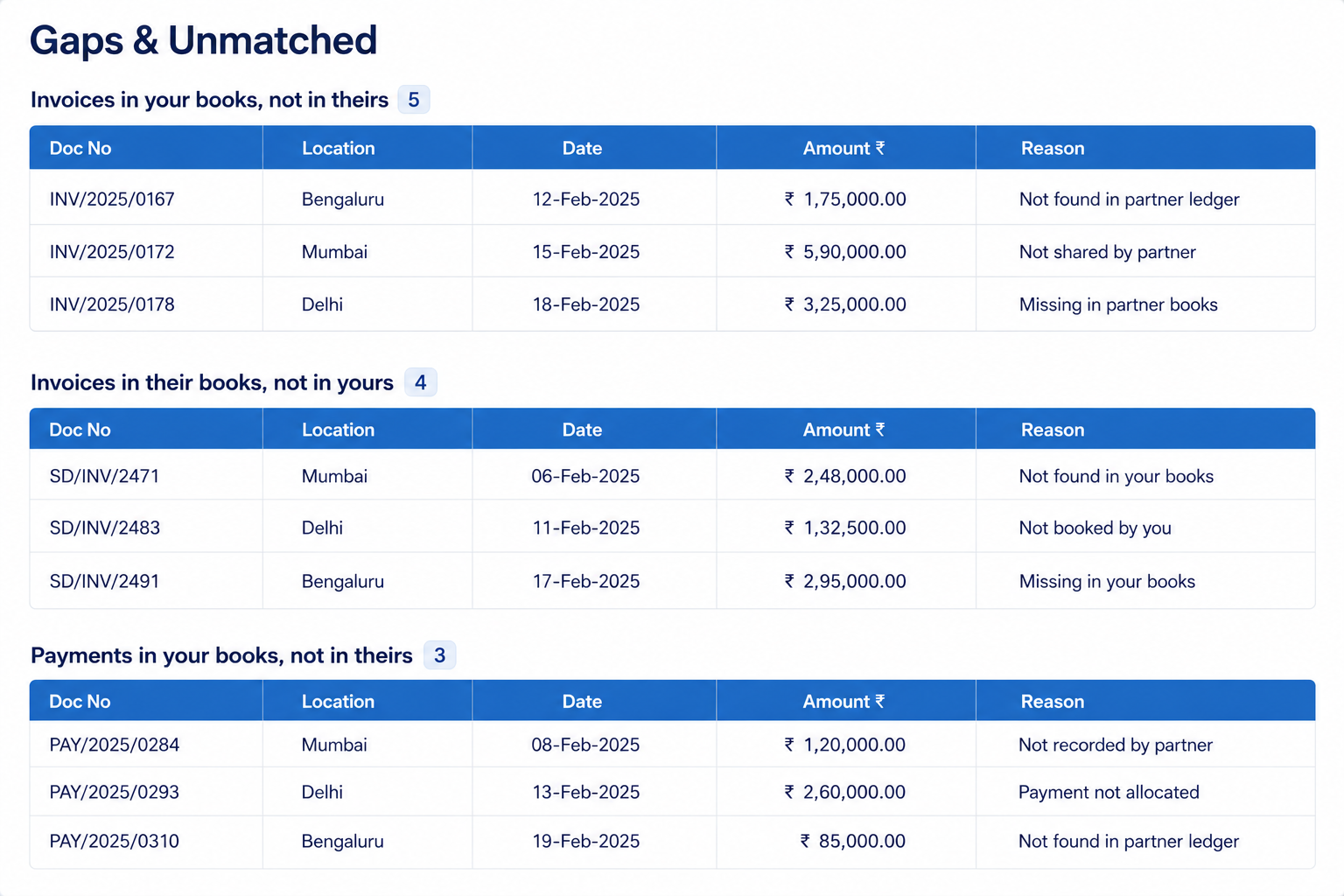
  • 06Payments in your books, not in theirs
  • 07Invoices in your books, not in theirs
  • 08Invoices in their books, not in yours
  • 09Per-location status (settled / outstanding)
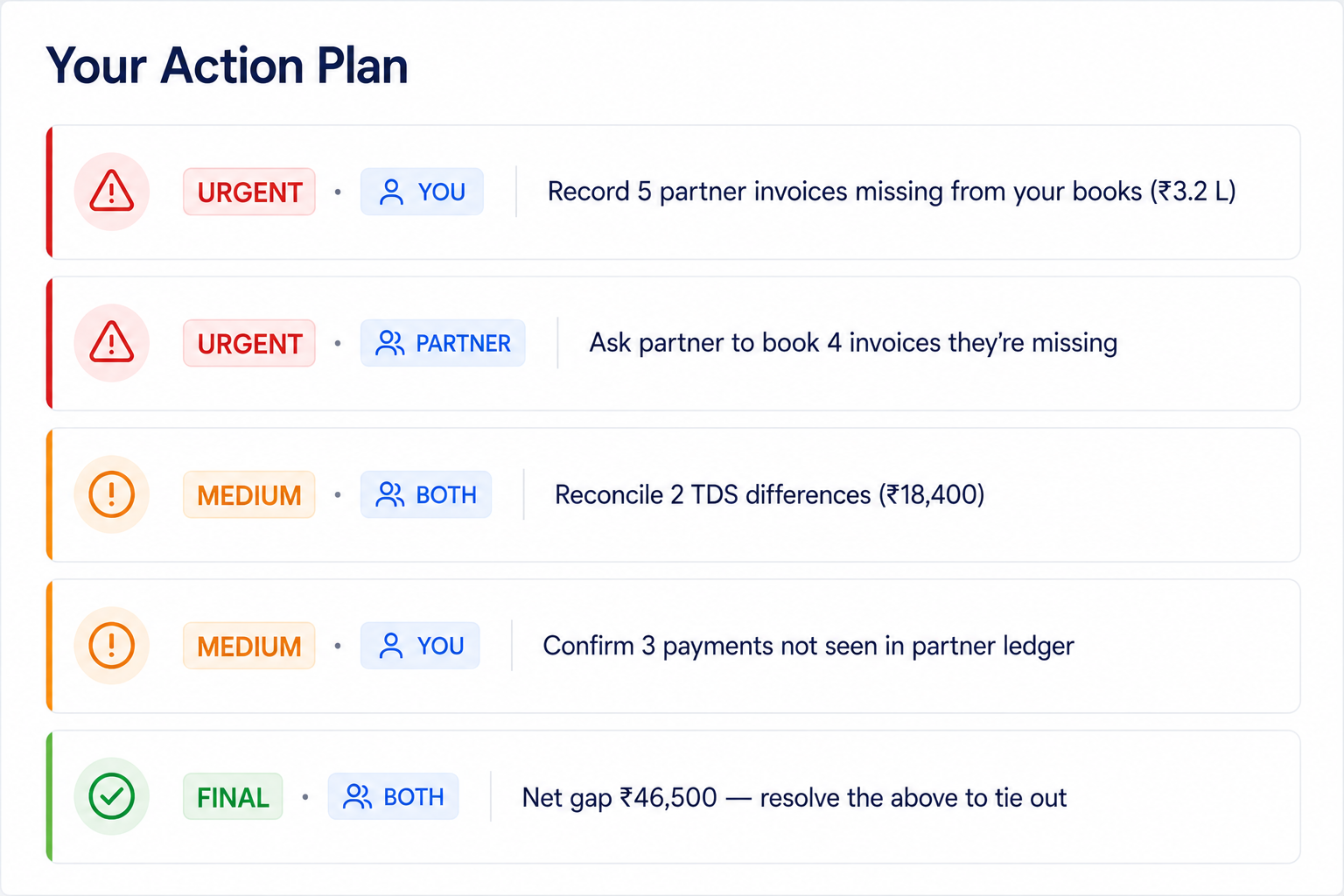
  • 10Priority action plan (URGENT / MEDIUM / FINAL, by owner)
  • 11Excel report: Summary · Matched · Gaps · Action Plan